
Virtual machines are not enabled by default in OpenShift. To run VMs, OpenShift relies on OpenShift Virtualization, which is based on KubeVirt and integrates virtual machines directly into the Kubernetes control plane.
In this guide, you’ll learn how to enable virtual machines on Red Hat OpenShift, verify the required prerequisites, and confirm that your cluster is ready to run VM workloads.
Prerequisites
Before enabling virtualization, confirm the following:
- OpenShift 4.10 or later
- Cluster administrator access
- At least one worker node with hardware virtualization support
- Nodes expose
/dev/kvm(no KVM = no VMs) - Sufficient CPU and memory on worker nodes
Step 1: Verify Node Virtualization Support
Check whether your worker nodes expose KVM:
oc get nodes -o custom-columns=NAME:.metadata.name,KVM:.status.allocatable.'devices\.kubevirt\.io/kvm'Expected result for workers:
worker0   1000
worker1   1000
If you see 0 or <none>, the node cannot run virtual machines.
To confirm directly on a node:
oc debug node/worker0
chroot /host
ls -l /dev/kvm
egrep -o 'vmx|svm' /proc/cpuinfo | head
exit
If /dev/kvm is missing, fix virtualization at the infrastructure layer before continuing.
Step 2: Install the OpenShift Virtualization Operator
Enable virtualization by installing the operator from Ecosystem > Software Catalog (OpenShift 4.20+)
You might be asked to setup up HyperConverged Cluster, just click next through this process.
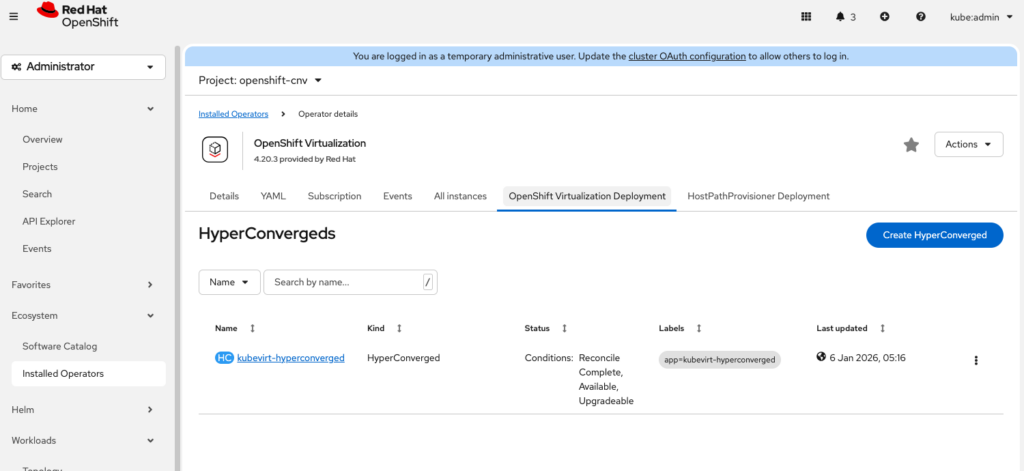
This step deploys all virtualization components, including:
- KubeVirt
- CDI (Containerized Data Importer)
- VM controllers and APIs
Step 3: Monitor the Installation
Watch the operator pods come up:
oc get pods -n openshift-cnv -wWait until all pods are in a Running or Completed state.
Verify the HyperConverged object:
% oc get hyperconverged -n openshift-cnv
NAME                      AGE
kubevirt-hyperconverged   18m
Step 4: Confirm Virtualization Is Enabled
Check that KubeVirt is running:
oc get kubevirt -n openshift-cnvConfirm the API resources are available:
oc api-resources | grep -i virtualmachineYou should see resources such as:
virtualmachinesvirtualmachineinstancesvirtualmachineinstancemigrations
This confirms that your cluster is now capable of running VMs.

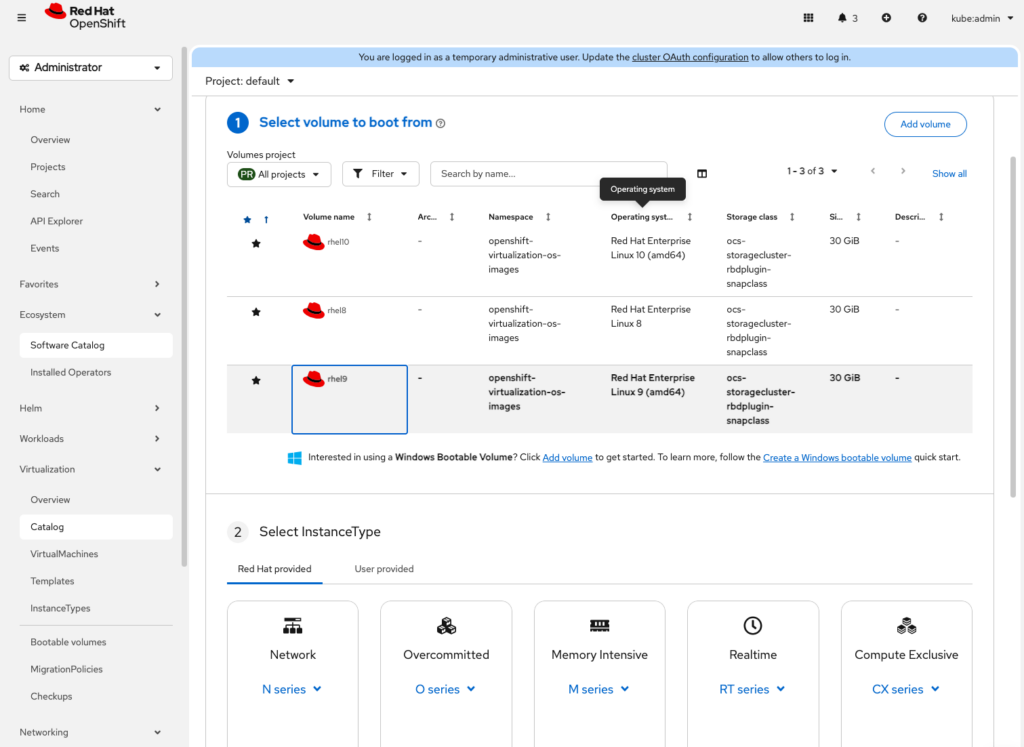
Now we can start VMS on the platform. Click Virtualization > VirtualMachines > Create > FromInstanceType
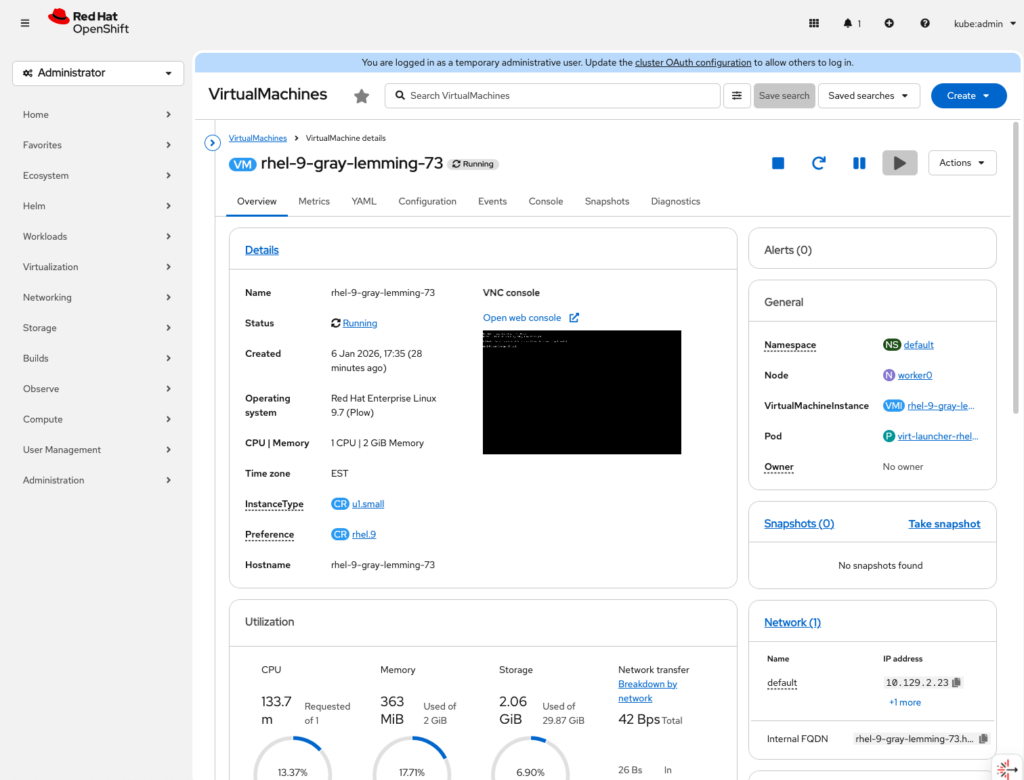
Once you launch the VM, it will get provisioned on the most suitable worker. You can monitor this process from the web ui as well.
Conclusion
OpenShift Virtualization makes it possible to run traditional virtual machines and modern container workloads side by side on the same platform. By enabling virtualization and verifying KVM support at the infrastructure level, you’ve laid the foundation for a flexible hybrid environment that can support both legacy applications and cloud-native workloads.
With virtualization now enabled, your OpenShift cluster is no longer limited to containers alone. You can begin migrating existing virtual machines, building new VM-based services, or gradually modernising applications at your own pace while continuing to use the same tools, processes, and access controls you already rely on in OpenShift.